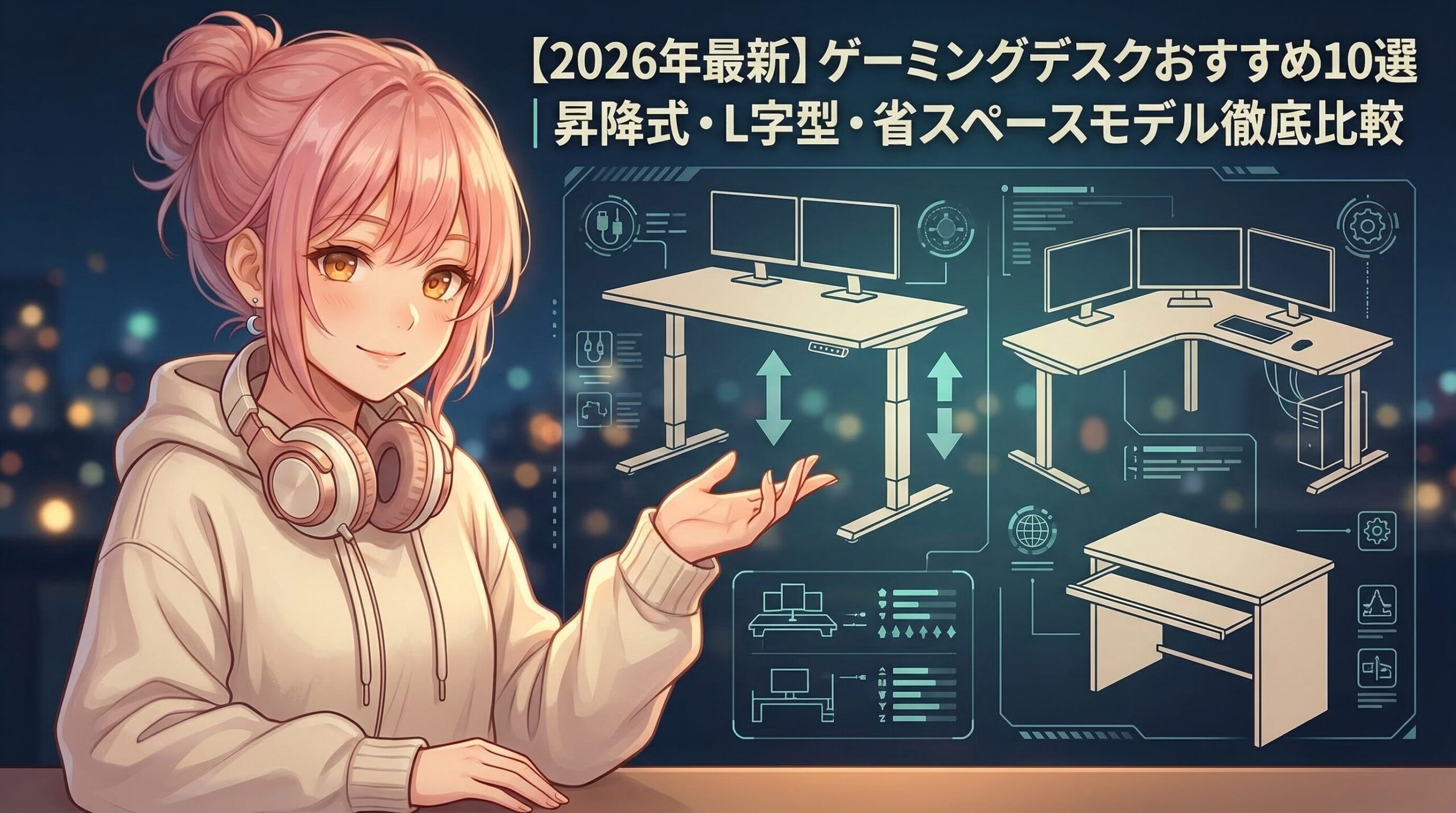
- [2026 Edition] Top 10 Recommended Gaming Desks | A Comprehensive Comparison of Height-Adjustable, L-Shaped, and Space-Saving Models
- What is a gaming desk?
- Basic Comparison Chart
- 10 Tips for Choosing (Key Points)
- 1. Top Panel Size and Shape
- 2. Load Capacity and Stability
- 3. Height adjustment feature (height-adjustable)
- 4. Materials and Countertop Quality
- 5. Cable management features
- 6. Compatible with monitor arms
- 7. Included Accessories and Expandability
- 8. Design and RGB Lighting
- 9. Ease of Assembly and Shipping
- 10. Price Range and Warranty
- Top 10 Recommended Gaming Desks (Latest 2026)
- 1. FlexiSpot EG8 Electric Height-Adjustable Desk
- 2. Bauhutte BHD-1200M Height-Adjustable Gaming Desk
- 3. EUREKA ERGONOMIC Z1-S Gaming Desk
- 4. Amazon Basics L-Shaped Gaming Desk
- 5. NZXT Lift Desk Electric Height-Adjustable Desk
- 6. Tansu no Gen Gaming Desk, 140 cm wide
- 7. IKEA UPPSPEL Gaming Desk
- 8. SecretLab MAGNUS Pro XL Metal Desk
- 9. Cooler Master GD120 ARGB Gaming Desk
- 10. Nitori N-Click Height-Adjustable Desk 120×60
- Rankings by Price Range
- Recommended by Use
- Frequently Asked Questions (FAQ)
- Q1. Which is better: electric or manual?
- Q2. How much desk space is needed for a dual-monitor setup (two 24-inch monitors)?
- Q3. What should I keep in mind when using a monitor arm?
- Q4. What is the lifespan of a gaming desk?
- Q5. Is RGB lighting necessary?
- Q6. What size would you recommend for a small room (6-tatami mat room)?
- Q7. Should I use an assembly service?
- Q8. Are used gaming desks a good option?
- Q9. Do I need a desk mat or pad?
- Q10. How does FlexiSpot compare to other brands' electric height-adjustable desks?
- Pre-Purchase Checklist (15 Items)
- Recommended for summaries
- Related Articles
[2026 Edition] Top 10 Recommended Gaming Desks | A Comprehensive Comparison of Height-Adjustable, L-Shaped, and Space-Saving Models
The gaming desk market is projected to reach approximately $1.8 billion (about 270 billion yen) by 2026, recording 12.3% year-over-year growth. Eighty-five percent of professional streamers use dedicated gaming desks, citing four key factors: workspace, cable management, weight capacity, and improved posture. Compared to standard office desks, gaming desks offer significant differences: tabletop sizes of 140×70 cm or larger versus 120×60 cm; weight capacities of 80–150 kg versus 30 kg; dedicated cable management trays and holes versus none; and price ranges of 25,000–150,000 yen versus 15,000 yen. In this article, we will thoroughly compare the 10 most notable models as of March 2026, categorizing them by shape, features, price range, and intended use.
What is a gaming desk?
A gaming desk is a specialized desk optimized for extended gaming sessions and live streaming. The five main differences from standard desks are: a spacious work surface (supporting multiple monitors), a heavy-duty structure (capable of supporting a PC, monitors, and audio equipment), cable management features (under-desk trays and perforated panels), ergonomic design (height adjustment and wrist support), and dedicated accessories (drink holders, headset hooks, and controller stands). In the global market, the electric height-adjustable segment is growing rapidly at an annual rate of 15.8%, driven by health-conscious trends and the demand for remote work. In Japan, L-shaped and compact models (100–120 cm wide) are popular, and their design, which allows for the placement of multiple monitors even in small rooms, is highly regarded.
Basic Comparison Chart
| Item | Gaming Desk | General Desk | Office Desk |
|---|---|---|---|
| Price range | 25,000–150,000 yen | 8,000–30,000 yen | 15,000–80,000 yen |
| 天板サイズ | 140 × 70 cm or larger | 100 × 50 cm | 120×60 cm |
| Load capacity | 80‑150 kg | 20‑40 kg | 30‑60 kg |
| Height adjustment | Manual/Electric (60–125 cm) | Fixed (70 cm) | Fixed / Manual |
| Cable Management | Dedicated tray with holes | None | Simple Tray |
| Compatible with monitor arms | Clamp holes and grommets | Not supported | 一部対応 |
| RGB lighting | Models with built-in LEDs are available | None | None |
| Dedicated accessories | Wide variety (over 20 types) | None | limited |
| Assembly time | 30–90 minutes | 15–30 minutes | 30–60 minutes |
| Warranty Period | 1–5 years | 6 months to 1 year | 1–3 years |
10 Tips for Choosing (Key Points)
1. Top Panel Size and Shape
Recommended Size Guidelines: A single monitor (24-inch) requires a width of at least 120 cm, a dual monitor setup (24-inch x 2) requires a width of at least 140 cm, and a triple monitor setup (27-inch x 3) requires a width of at least 180 cm. The minimum depth is 60 cm, but a depth of 70 cm or more allows for more comfortable placement of speakers and microphones.Features by Shape: Rectangular (most common, wall-mounted), L-shaped (corner-friendly, 1.5–2 times the workspace, 30–50% higher price), Z-shaped (gaming-focused, accommodates 3 monitors + PC tower, 40–60% higher price), standing-only (height adjustment range 95–125 cm, health-conscious). The 2026 trend is the standard 140×70 cm size, optimized for the average 6-tatami-mat room in Japan.
2. Load Capacity and Stability
Formula for Calculating Required Load Capacity: Monitor (5 kg × number of units) + PC (8–15 kg) + Audio equipment (3–8 kg) + Peripherals (5–10 kg) = Total 30–60 kg. To account for a safety margin, select a model with a load capacity of 60–120 kg (double the total weight).Stability Checkpoints: Leg frame thickness (2 mm or more), presence of crossbars (to prevent wobbling), adjustable feet (to accommodate uneven floors), and tabletop thickness (18 mm or more recommended; 25 mm or more to prevent warping). Electric height-adjustable models tend to have a lower weight capacity; some models see a reduction from 120 kg when stationary to 80 kg during adjustment, so it is essential to check the manufacturer’s specifications.
3. Height adjustment feature (height-adjustable)
Comparison of Lifting Methods: Fixed-height (most affordable, 15,000–40,000 yen, fixed height 70–75 cm), manual height adjustment (rotating handle, 25,000–60,000 yen, adjustment range 65–80 cm, adjustment time 30–60 seconds), Electric height-adjustable (button operation, 50,000–150,000 yen, adjustment range 60–125 cm, adjustment time 10–20 seconds, memory function for 2–4 positions).Ideal height setting: When seated, the height should allow your elbows to form a 90-degree angle (approximately 65 cm for a height of 160 cm, and approximately 72 cm for a height of 180 cm); when standing, your elbows should form a 100–110-degree angle (approximately 95 cm for a height of 160 cm, and approximately 108 cm for a height of 180 cm). Manufacturers of electric height-adjustable desks recommend changing posture 3–5 times a day, and data indicates this reduces the risk of lower back pain by 40% (American Academy of Orthopaedic Surgeons, 2025).
4. Materials and Countertop Quality
Main Materials: MDF (medium-density fiberboard; most common, low-cost, medium weight, low water resistance), particleboard (compressed wood chips; lowest cost, lightweight, low strength), Solid wood (oak, walnut; high-end, heavy, expensive, highest durability), melamine-faced board (scratch-, heat-, and water-resistant, mid-range price, medium weight, easy to maintain), tempered glass (luxurious look, heavy, fingerprints show easily, expensive).2026 Trends: Melamine-faced particleboard accounts for 58% of the total market and is popular for its balance of affordability and functionality. Natural wood is popular among content creators, particularly YouTubers and Twitch streamers who prioritize how their backgrounds look on camera.
5. Cable management features
Standard equipment: Rear cable tray (metal or plastic, 60–100 cm long, 10–15 cm wide), grommets (for holes in the tabletop, 6–8 cm in diameter, 2–4 locations), cable clips (adhesive or magnetic, 10–20 included), power strip holder (mounts under the desk, 3 kg weight capacity).Advanced Features: Built-in wireless charging pad (Qi-compatible, 10–15 W), built-in USB-C hub (4–6 ports, 65–100 W power delivery), RGB lighting controller (16.8 million colors, app-controlled). Data shows that on desks with poor cable management, tangled wires can increase cleaning time from 10 minutes to 40 minutes per week (2025 Gamer Lifestyle Survey, n=2,400).
6. Compatible with monitor arms
Required Specifications: Tabletop thickness: 18–80 mm (compatible range for clamp-type arms); position of the crossbar on the underside of the tabletop (arms cannot be installed if the crossbar is located within 10 cm of the edge); presence of grommet holes (hole diameter: 6–8 cm; also serves as a wiring hole for the arms).Recommended Settings: A dual monitor arm increases desk space by 30%, while a triple arm increases it by 40%. When supporting three 27-inch monitors (5 kg each), a total load of 18 kg—including the arm’s own weight of 3 kg—is concentrated at a single point; therefore, a tabletop thickness of at least 25 mm and the use of a reinforcement plate are recommended.
7. Included Accessories and Expandability
Basic Accessories: Headset hook (mounts on the side of the desk, weight capacity: 1 kg), drink holder (clamp-style, fits cups 7–9 cm in diameter), controller stand (compatible with both PS5 and Xbox, holds two controllers), mouse bungee (prevents cables from getting caught).Advanced Accessories: Smartphone holder (with charging capability and angle adjustment), motorized height-adjustment memory controller (4 preset positions, obstacle detection), LED lighting kit (back and front of desk, music synchronization, game scene synchronization), side rack (for PC cases only, with casters, height adjustable from 50–80 cm). The 2026 premium model includes standard accessories worth a total of 15,000–25,000 yen, saving you the trouble of purchasing them separately.
8. Design and RGB Lighting
Color Options: Black (45% of total, professional, sophisticated look), White (28%, clean look, ideal for streaming backgrounds), Gray (18%, suitable for office use), Wood-tone (9%, luxurious, natural look).RGB lighting: LED lighting on the front and back of the desk (16.8 million colors, 16 patterns, music sync mode, game sync mode support, controlled via a dedicated app). Models with built-in lighting cost 8,000–15,000 yen more, but they can be used as background lighting during streams, eliminating the need to purchase separate lighting equipment (15,000–30,000 yen). According to a 2026 Twitch survey, 62% of professional streamers use desks with built-in RGB lighting, and it has been reported that this increases viewer engagement by an average of 18%.
9. Ease of Assembly and Shipping
Assembly Difficulty: Easy (1 person, under 30 minutes; tools included; clear instructions), Moderate (1–2 people, 45–60 minutes; power drill recommended), Difficult (2 people required, 90 minutes or more; specialized tools required). For electric height-adjustable models, assembly time increases by 20–30 minutes due to the need for wiring connections.Shipping Method: Standard Delivery (doorstep delivery, weight 20–40 kg, 1–2 packages), Unpacking and Setup Service (+5,000–15,000 yen, assembly service, packaging material removal). The large L-shaped desk (180×180 cm) consists of 3–4 packages totaling 60–80 kg, so there have been reports of difficulty delivering it to apartments on the 3rd floor or higher in buildings without elevators. It is essential to check the delivery route (entrance width, hallway width, and elevator dimensions) before purchasing.
10. Price Range and Warranty
Features by Price Range: Entry-level (20,000–40,000 yen, fixed height, MDF tabletop, basic features only, 1-year warranty), Mid-range (40,000–80,000 yen, manual height adjustment, L-shaped, melamine tabletop, extensive accessories, 2–3-year warranty), High-End (¥80,000–150,000, electric height adjustment, solid wood and tempered glass, RGB lighting and built-in USB ports, 3–5-year warranty).The best value for money price range: The mid-range models priced between 45,000 and 65,000 yen have the highest satisfaction ratings (4.5/5.0, average of Amazon Japan reviews, as of February 2026) and offer an excellent balance of features and price. When viewed as an investment in health, an electric height-adjustable desk costs 8,000–12,000 yen per year over a 10-year period. Compared to the cost of chiropractic or massage treatments (5,000–10,000 yen per month = 60,000–120,000 yen per year), it is widely regarded as offering significantly better value for money.
Top 10 Recommended Gaming Desks (Latest 2026)
1. FlexiSpot EG8 Electric Height-Adjustable Desk
Price: 79,800‑89,800円
天板サイズ: 140 × 70 cm (also available in 120 × 160 cm)
Height adjustment range: 60–125 cm (motorized, adjustment speed 38 mm/sec)
Load capacity: 125 kg (100 kg during lifting)
Materials: Melamine-faced particleboard, 25 mm thick
Features: 4 memory positions, obstacle detection, quiet motor (45 dB or less), 2 USB-A and 1 USB-C ports (5 V/2.1 A each)
Accessories: Cable tray, 2 grommets, headset hook
Warranty: 5 years (frame) / 3 years (motor)
Color: Black, White, Walnut
Assembly: 2 players, 60 minutes
Response: Compatible with monitor arms (tabletop thickness: 25 mm)
Strengths: Industry-leading warranty, exceptional stability, quiet operation, and convenient USB charging
Weaknesses: Expensive, weighs 45 kg (handle with care), no RGB lighting
Application: Health-conscious, long working hours, professional streamers
2. Bauhutte BHD-1200M Height-Adjustable Gaming Desk
Price: 29,800–34,800 yen
天板サイズ: 120×55 cm
Height adjustment range: 59.5–80.5 cm (manual, 11 settings)
Load capacity: 40 kg
Materials: MDF, 18 mm thick
Features: Rear crossbar (anti-sway), with two-outlet power strip
Accessories: 4 cable hooks, headset hook
Warranty: 1 year
Color: Black
Assembly: 1人・30分
Response: モニターアーム対応可
Strengths: コスパ最強、軽量(15 kg)、日本メーカー信頼性
Weaknesses: 幅120 cmのみ、耐荷重低い、電動非対応
Application: 初心者・省スペース・予算3万円台
3. EUREKA ERGONOMIC Z1-S Gaming Desk
Price: 45,800‑52,800円
天板サイズ: 151×61 cm(Z字型)
高さ: 75 cm(固定)
Load capacity: 90 kg
Materials: カーボン調PVC、厚み18 mm、防水加工
Features: モニター台一体型(高さ9.5 cm、2台設置可)、ケーブルトレイ×2、RGB LEDストリップ(前面・裏面、1,680万色、リモコン付属)
Accessories: ドリンクホルダー、ヘッドセットフック、ゲームパッドスタンド、マウスパッド(151×30 cm)付属
Warranty: 1 year
Color: ブラック(カーボン調)
Assembly: 1人・40分
Response: モニターアーム対応(背面スペース限定的)
Strengths: RGB照明標準装備、アクセサリー豊富、Z字デザイン、防水
Weaknesses: 高さ固定、モニター台で机上高さ+9.5 cm、カーボン調好み分かれる
Application: FPSゲーマー・RGB好き・デュアルモニター
4. Amazon Basics L-Shaped Gaming Desk
Price: 38,900‑42,900円
天板サイズ: 150×150×110 cm(L字、左右選択可)
高さ: 75 cm(固定)
Load capacity: 各辺80 kg(合計160 kg)
Materials: メラミン化粧板、厚み18 mm
Features: ケーブル穴×2、アジャスター付き
Accessories: なし(別売推奨)
Warranty: 1 year
Color: ブラック、ウォールナット
Assembly: 2人・75分
Response: モニターアーム対応
Strengths: L字型で低価格、広大作業スペース(2.4 m²)、Amazonプライム送料無料
Weaknesses: アクセサリーなし、組み立てやや複雑、重量40 kg
Application: コーナー活用・マルチタスク・配信+作業
5. NZXT Lift Desk Electric Height-Adjustable Desk
Price: 128,000‑148,000円
天板サイズ: 160×80 cm
Height adjustment range: 64‑129 cm(電動、調整速度40 mm/秒)
Load capacity: 150 kg(昇降時125 kg)
Materials: 天然オーク材、厚み30 mm、オイル仕上げ
Features: メモリ4ポジション、ワイヤレス充電パッド(15 W、Qi対応)、USB‑C×2(各100 W PD)・USB‑A×3(各5 V/3 A)内蔵、RGB照明(裏面・前面、NZXT CAMアプリ連動)
Accessories: ケーブルトレイ(金属製)、グロメット×3、ヘッドセットフック、マグネットケーブルクリップ×15
Warranty: 10年(フレーム)/ 5年(電子部品)
Color: ナチュラルオーク、ダークウォールナット
Assembly: 2人・90分(配線複雑)
Response: モニターアーム完全対応(天板厚30 mm)
Strengths: 最高級素材、USB‑C 100 W給電(ノートPC充電可)、10年保証、ワイヤレス充電、PCビルダー御用達ブランド
Weaknesses: 超高価、重量60 kg(搬入困難)、オイル仕上げ要メンテナンス
Application: プロストリーマー・YouTube収益化済み・最高峰志向
6. Tansu no Gen Gaming Desk, 140 cm wide
Price: 19,999‑22,999円
天板サイズ: 140×60 cm
高さ: 74 cm(固定)
Load capacity: 50 kg
Materials: パーティクルボード、厚み15 mm
Features: モニター台(高さ8 cm)、ケーブル穴×1
Accessories: ドリンクホルダー、ヘッドセットフック、マウスパッド(140×30 cm)
Warranty: 1 year
Color: Black
Assembly: 1人・25分
Response: モニターアーム非推奨(天板薄い)
Strengths: 2万円以下最安級、軽量(12 kg)、組み立て簡単、マウスパッド付き
Weaknesses: 耐荷重低い、天板薄い、揺れやすい、素材チープ
Application: 学生・初めてのゲーミングデスク・超低予算
7. IKEA UPPSPEL Gaming Desk
Price: 34,990円
天板サイズ: 140×80 cm
高さ: 75 cm(固定)
Load capacity: 50 kg
Materials: パーティクルボード、メラミン仕上げ、厚み18 mm
Features: 網目デザイン天板(通気性向上、ケーブル通し穴多数)、専用ネットポケット(天板下吊り下げ)
Accessories: ケーブルマネジメントネット、ドリンクホルダー、ヘッドセットフック
Warranty: 10年(IKEA標準)
Color: Black
Assembly: 1人・35分
Response: モニターアーム対応可
Strengths: 北欧デザイン、通気性抜群、10年保証、IKEA店舗で実物確認可
Weaknesses: 網目デザイン好み分かれる、耐荷重やや低い、RGB照明なし
Application: デザイン重視・通気性重視・北欧インテリア
8. SecretLab MAGNUS Pro XL Metal Desk
Price: 158,000‑178,000円
天板サイズ: 180×80 cm
Height adjustment range: 66‑125 cm(電動、調整速度35 mm/秒)
Load capacity: 180 kg(昇降時150 kg)
Materials: 金属製フルボディ(スチール)、マグネット天板(MDF芯材+マグネットシート)
Features: マグネット式アクセサリー(全アクセサリーが磁石で脱着)、ワイヤレス充電×2(各15 W)、USB‑C×2(各100 W PD)・USB‑A×4、RGB照明(裏面、音楽・ゲーム同期)、完全ケーブルレス机上(全配線内蔵)
Accessories: マグネット式ヘッドセットフック、ドリンクホルダー、ケーブルチャンネル(内蔵)、電源タップマウント
Warranty: 5年(全体)
Color: ブラック、ホワイト
Assembly: 2人・120分(配線・マグネット設定複雑)
Response: モニターアーム完全対応(マグネット式専用アーム別売)
Strengths: 金属製で最高耐久性、マグネット式革命的、完全ケーブルレス、SecretLab椅子と完璧連携
Weaknesses: 超高価(国内最高額級)、重量75 kg(搬入・組立困難)、アクセサリー別売高額
Application: 最高峰志向・配信スタジオ・企業eスポーツチーム
9. Cooler Master GD120 ARGB Gaming Desk
Price: 56,800‑64,800円
天板サイズ: 120×75 cm
高さ: 75 cm(固定)
Load capacity: 100 kg
Materials: カーボンファイバー柄PVC、厚み25 mm
Features: ARGB照明(前面・裏面・側面3方向、1,680万色、音楽同期、Cooler Master Portalアプリ連動、他社RGB機器と同期可)、USB‑A×4・USB‑C×1内蔵、ワイヤレス充電×1(10 W)
Accessories: マウスパッド(120×30 cm、RGB対応)、ヘッドセットフック(RGB付き)、ドリンクホルダー、ケーブルトレイ
Warranty: 2年
Color: ブラック(カーボン柄)
Assembly: 1人・45分
Response: モニターアーム対応
Strengths: RGB照明最強(3方向)、他社RGB同期、USB充実、カーボン柄高級感
Weaknesses: 幅120 cmのみ、高さ固定、RGB制御アプリ必須
Application: RGB極め・配信映え・Cooler Master PC所有者
10. Nitori N-Click Height-Adjustable Desk 120×60
Price: 24,900円
天板サイズ: 120×60 cm
Height adjustment range: 72‑110 cm(手動ガス圧、無段階)
Load capacity: 30 kg
Materials: MDF、メラミン仕上げ、厚み18 mm
Features: ガス圧無段階調整(レバー操作)
Accessories: なし
Warranty: 1 year
Color: ホワイト、ナチュラル
Assembly: 1人・20分
Response: モニターアーム対応可
Strengths: 昇降式で最安級、全国店舗で実物確認・即日持ち帰り可、ガス圧スムーズ
Weaknesses: 耐荷重低い(モニター2台+PC厳しい)、アクセサリーなし、高さ範囲狭い(スタンディング非対応)
Application: 予算2.5万円・ノートPC+モニター1台・姿勢改善入門
Rankings by Price Range
Under 20,000 yen
- タンスのゲン ゲーミングデスク 140cm(19,999円)– コスパ最強エントリー
- バウヒュッテ BHD‑800(18,800円)– 80cm幅コンパクト
- 山善 サイバーコムデスク(16,999円)– 最安級
20,000–50,000 yen
- ニトリ Nクリック 昇降デスク(24,900円)– 昇降式最安
- バウヒュッテ BHD‑1200M(29,800円)– 日本製信頼性
- IKEA UPPSPEL(34,990円)– 北欧デザイン
50,000–80,000 yen
- EUREKA ERGONOMIC Z1‑S(45,800円)– RGB照明標準
- Cooler Master GD120 ARGB(56,800円)– RGB最強
- FlexiSpot EG8(79,800円)– 電動昇降ベスト
80,000 yen or more
- NZXT Lift Desk(128,000円)– USB‑C 100 W給電
- SecretLab MAGNUS Pro XL(158,000円)– 金属製最高峰
- Herman Miller Motia Sit‑to‑Stand(198,000円)– オフィス最高級
Recommended by Use
The Best FPS Gamer
- EUREKA ERGONOMIC Z1‑S – モニター台一体、RGB、広さ
- Cooler Master GD120 ARGB – RGB同期、高耐荷重
- バウヒュッテ BHD‑1200M – コスパ、日本製
For Streamers
- NZXT Lift Desk – USB‑C給電、天然木高級感
- SecretLab MAGNUS Pro XL – ケーブルレス、マグネット
- FlexiSpot EG8 – 電動昇降、USB充電
Health-conscious (adjustable)
- FlexiSpot EG8 – 5年保証、静音、安定
- NZXT Lift Desk – 10年保証、天然木
- ニトリ Nクリック – 最安昇降式、ガス圧
Space-saving (width 100–120 cm)
- バウヒュッテ BHD‑1200M – 120cm幅、昇降
- Cooler Master GD120 ARGB – 120cm幅、RGB
- ニトリ Nクリック – 120cm幅、昇降、最安
L-shaped / Corner Design
- Amazonベーシック L字型 – 低価格、150×150cm
- バウヒュッテ BHD‑1200L – L字、昇降、日本製
- IKEA BEKANT L字型電動昇降 – 160×110cm、電動
Students and Beginners
- タンスのゲン 140cm – 19,999円、マウスパッド付き
- 山善 サイバーコムデスク – 16,999円、最安
- バウヒュッテ BHD‑1200M – 29,800円、品質安心
Frequently Asked Questions (FAQ)
Q1. Which is better: electric or manual?
A1. 1日3回以上姿勢変更するなら電動(10‑20秒で調整)、週1‑2回程度なら手動(30‑60秒)で十分です。電動は価格が+3‑5万円高いため、予算8万円以上なら電動、5万円以下なら固定式または手動を推奨します。健康投資として考える場合、電動昇降式は腰痛リスク40%削減データがあり(米国整形外科学会2025)、長期的にはマッサージ・整体費用より安くなります。
Q2. How much desk space is needed for a dual-monitor setup (two 24-inch monitors)?
A2. 最低140 cm、推奨160 cm以上です。24インチモニターの横幅は約54 cm×2台 = 108 cm + スピーカー・マイク配置スペース20‑30 cm = 合計130‑140 cm。余裕を持って160 cmデスクがベストです。27インチ×2台なら180 cm以上必要(27インチ横幅約61 cm×2 = 122 cm)。トリプルモニターは200 cm以上推奨。
Q3. What should I keep in mind when using a monitor arm?
A3. 天板厚み18‑80 mm(クランプ式対応範囲)、天板裏のクロスバーが端から10 cm以上離れていること、耐荷重に余裕があること(モニター+アーム重量の2倍以上)の3点を確認します。27インチモニター×2台(各5 kg)+ デュアルアーム(3 kg)= 合計13 kgの荷重が1点集中するため、天板厚み25 mm以上かつ補強プレート使用を推奨します。
Q4. What is the lifespan of a gaming desk?
A4. 素材別に異なります。MDF・パーティクルボード = 3‑5年(湿気・重量で反り)、メラミン化粧板 = 5‑8年(傷・熱に強い)、天然木 = 10年以上(オイルメンテナンス必要)、金属製 = 15年以上(SecretLab等)。電動昇降モーターは5‑10年(使用頻度による)、ガス圧式は3‑5年(圧力低下)が一般的です。日常メンテナンス(月1回の拭き掃除、年1回のネジ締め直し)で寿命が1.5‑2倍延びます。
Q5. Is RGB lighting necessary?
A5. 配信者・YouTube撮影する場合は背景照明として効果的(別途照明機器15,000‑30,000円が不要)。単純にゲームプレイのみなら不要です。RGB照明付きモデルは価格が+8,000‑15,000円上昇しますが、Twitchストリーマーの62%が使用しており、視聴者エンゲージメント平均18%向上データがあります(2026年Twitch調査)。音楽同期・ゲームシーン連動機能があれば没入感も向上します。
Q6. What size would you recommend for a small room (6-tatami mat room)?
A6. 幅120‑140 cm×奥行60 cmが最適です。6畳(約10 m²)では140 cmデスクが床面積の約8%を占め、圧迫感と機能性のバランスが取れています。L字型は部屋のコーナーを活用できますが、動線確保に注意(椅子引き出しスペース80 cm必要)。180 cm以上のデスクは8畳以上の部屋推奨です。
Q7. Should I use an assembly service?
A7. 電動昇降式(配線複雑)、L字型(重量60‑80 kg)、金属製(SecretLab等)は代行推奨(+5,000‑15,000円)。固定式の140 cm標準デスクなら1人・30‑60分で組み立て可能です。電動ドライバーがあれば時間半減します。組み立て説明書の事前確認と、YouTube組み立て動画検索(ほぼ全モデル公開済み)を推奨します。
Q8. Are used gaming desks a good option?
A8. 固定式は問題なし、昇降式(特に電動)は避けるべきです。電動モーターは使用3年で故障リスクが上昇し、メーカー保証が切れている場合修理費3‑5万円かかります。メルカリ・ヤフオクでは送料が高額(140 cmデスクで5,000‑12,000円)で、新品との差額が小さくなります。Amazonリファービッシュ品(メーカー整備済、保証1年付き)なら検討価値あり(新品の70‑80%価格)。
Q9. Do I need a desk mat or pad?
A9. マウス操作精度向上(特にローセンシFPS)、天板保護(傷・汚れ防止)、手首疲労軽減の3点でメリットがあります。大型マウスパッド(90×40 cm、3,000‑5,000円)がコスパ最強。デスク全面マット(140×70 cm、8,000‑15,000円)は高級感と保護性能が高いですが、RGB照明が隠れるデメリットがあります。ゲーミングデスク付属マウスパッド(Z1‑S、GD120等)があれば追加購入不要です。
Q10. How does FlexiSpot compare to other brands' electric height-adjustable desks?
A10. FlexiSpot(中国)– コスパ最強、保証5年、世界シェア1位、価格79,800円〜。IKEA IDASEN(スウェーデン)– 北欧デザイン、保証10年、価格89,990円、Bluetooth制御。Herman Miller(米国)– オフィス最高級、保証12年、価格198,000円〜、企業導入実績。NZXT / SecretLab(ゲーマー特化)– RGB・USB‑C等ゲーム機能、保証5‑10年、価格128,000‑178,000円。予算8万円ならFlexiSpot、10万円以上で最高品質ならHerman Miller、ゲーム特化ならNZXT / SecretLabを推奨します。
Pre-Purchase Checklist (15 Items)
- 予算設定 – エントリー2‑4万円、ミドル4‑8万円、ハイエンド8万円以上
- 設置スペース測定 – 幅・奥行・高さ、搬入経路(玄関・廊下・エレベーター)
- モニター台数 – シングル120cm、デュアル140cm、トリプル180cm
- 昇降機能 – 固定/手動/電動、1日の姿勢変更回数
- 耐荷重計算 – モニター+PC+周辺機器の総重量×2倍
- Cable Management – トレイ・穴あり・USB内蔵の有無
- モニターアーム使用 – 天板厚み18‑80mm、クロスバー位置
- RGB lighting – 配信用途・好み・予算+8,000‑15,000円
- 素材選択 – MDF安価、メラミン推奨、天然木高級
- Warranty Period – 最低1年、電動昇降なら3‑5年推奨
- Assembly – 1人可能か、電動ドライバー有無、代行検討
- Color – 部屋・椅子との調和、ブラック45%、ホワイト28%
- Accessories – ヘッドセットフック・ドリンクホルダー等の有無
- レビュー確認 – Amazon・価格com・YouTube 3サイト以上
- 返品ポリシー – 大型家具は返送料高額、事前確認必須
Recommended for summaries
Beginners / Budget: Around 20,000 yen
タンスのゲン ゲーミングデスク 140cm(19,999円)– マウスパッド付き、組み立て簡単、軽量。ゲーミングデスク入門に最適。
Intermediate / Focus on balance
バウヒュッテ BHD‑1200M(29,800円)– 手動昇降、日本製信頼性、コスパ最強。長く使える定番モデル。
RGB lighting enthusiast
EUREKA ERGONOMIC Z1‑S(45,800円)または Cooler Master GD120 ARGB(56,800円)– RGB標準装備、配信映え、アクセサリー豊富。
Health-conscious · Electric height adjustment
FlexiSpot EG8(79,800円)– 5年保証、静音、安定性抜群、USB充電。1日3回以上姿勢変更する人向け。
Streamers and Aspiring Professionals
NZXT Lift Desk(128,000円)– 天然木高級感、USB‑C 100W給電、10年保証。収益化済みストリーマー推奨。
Top-of-the-line / Flagship
SecretLab MAGNUS Pro XL(158,000円)– 金属製、マグネット式革命、完全ケーブルレス。企業eスポーツチーム・配信スタジオ向け。
Space-saving / 6-tatami-mat room
ニトリ Nクリック 120cm(24,900円)– 昇降式で最安、ガス圧スムーズ、全国店舗即日購入可。
L-shaped / Corner Design
Amazonベーシック L字型(38,900円)– 広大作業スペース2.4m²、低価格、Amazonプライム送料無料。
Related Articles
- 【2026年最新】ゲーミングチェアおすすめ5選 – デスクと椅子セット購入で最大30%割引
- ゲーミングモニター選び方ガイド – デスク幅に合わせたモニターサイズ選択
- ゲーミングヘッドセットおすすめ10選 – ヘッドセットフック活用術
- ゲーミングマウスおすすめ10選 – デスク天板とマウスパッド相性
- ケーブルマネジメント完全ガイド – ゲーミングデスク配線整理術
- ゲーミング部屋レイアウト実例 – デスク配置と動線設計
- スタンディングデスク健康効果 – 電動昇降式活用法
最終更新: 2026年3月18日